Data, Security & Governance
Public, internal, and organisation-run AI tools
Know why different AI tools need different data, access, and approval checks.
6 min readGovernance
Workplace example
Three versions of the same task
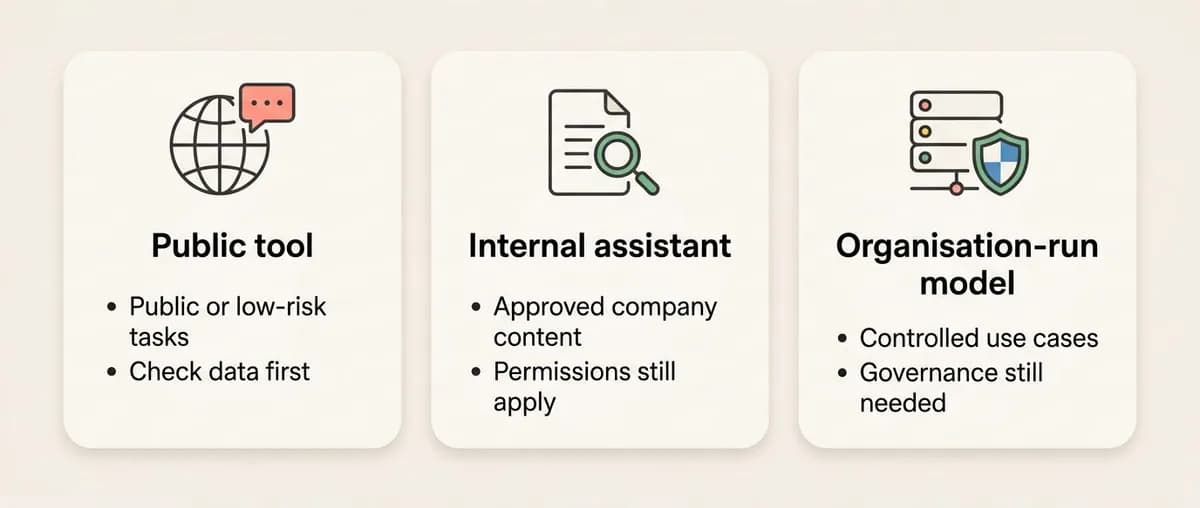
A public tool may be fine for a public article. An internal pricing file should use an approved work tool. Employee notes need more care.
What this means
- •A public AI tool, an internal AI assistant, and an organisation-run model are not the same thing.
- •A public tool may send prompts and outputs to an outside provider. Use it only for data and tasks your organisation allows.
- •An internal assistant can search company systems. It should only show content the person is already allowed to see.
- •An organisation-run model may give the business more control, but it still needs security, monitoring, and clear rules.
Why it matters
- •A tool that is fine for public information may be wrong for strategy, customer data, or employee notes.
- •Internal assistants can find information fast. That is helpful when permissions are right and risky when files are over-shared.
- •Plug-ins, agents, and connectors can ask to read email, files, calendars, or other systems.
- •Privacy and security rules still apply when AI is involved.
Common mistakes
- •Assuming public AI tools are safe if names are removed from a prompt.
- •Assuming an internal assistant can show any company document if the request sounds work-related.
- •Treating an organisation-run model as risk-free.
- •Turning on a plug-in before checking what it can access.
- •Forgetting that prompts and outputs may be logged or stored.
What good judgement looks like
- •Match the tool to the data risk.
- •Check approval for the exact task, not just the tool name.
- •Keep normal file, folder, system, and role permissions in place.
- •Review plug-ins and connectors before giving access to work systems.
- •Use the least sensitive data that can do the job.
- •Ask for help when personal data, restricted files, or unclear terms are involved.
Try this at work
- •Choose one AI task you might do this week.
- •Name the tool type: public, internal, organisation-run, or connected through a plug-in.
- •Write what data the tool would see and who can access the source file.
- •Decide whether to proceed, use a safer tool, remove sensitive details, or avoid AI.
How this helps your reassessment
- •You can explain why different AI tool types need different checks.
- •You know internal AI access should follow source-system permissions.
- •You check approval, data sensitivity, and connector permissions before using work data.
- •You know more control does not remove the need for review.
Related guides
Sensitive data and approved tools
Know what information must not be entered into unapproved AI tools and why approval matters.
AI permissions, plug-ins, and integrations
Review what an AI tool can access, store, share, or change before enabling it.
Incident response for AI data disclosure
Know what to do if sensitive information is entered into the wrong AI tool.